One inventory view
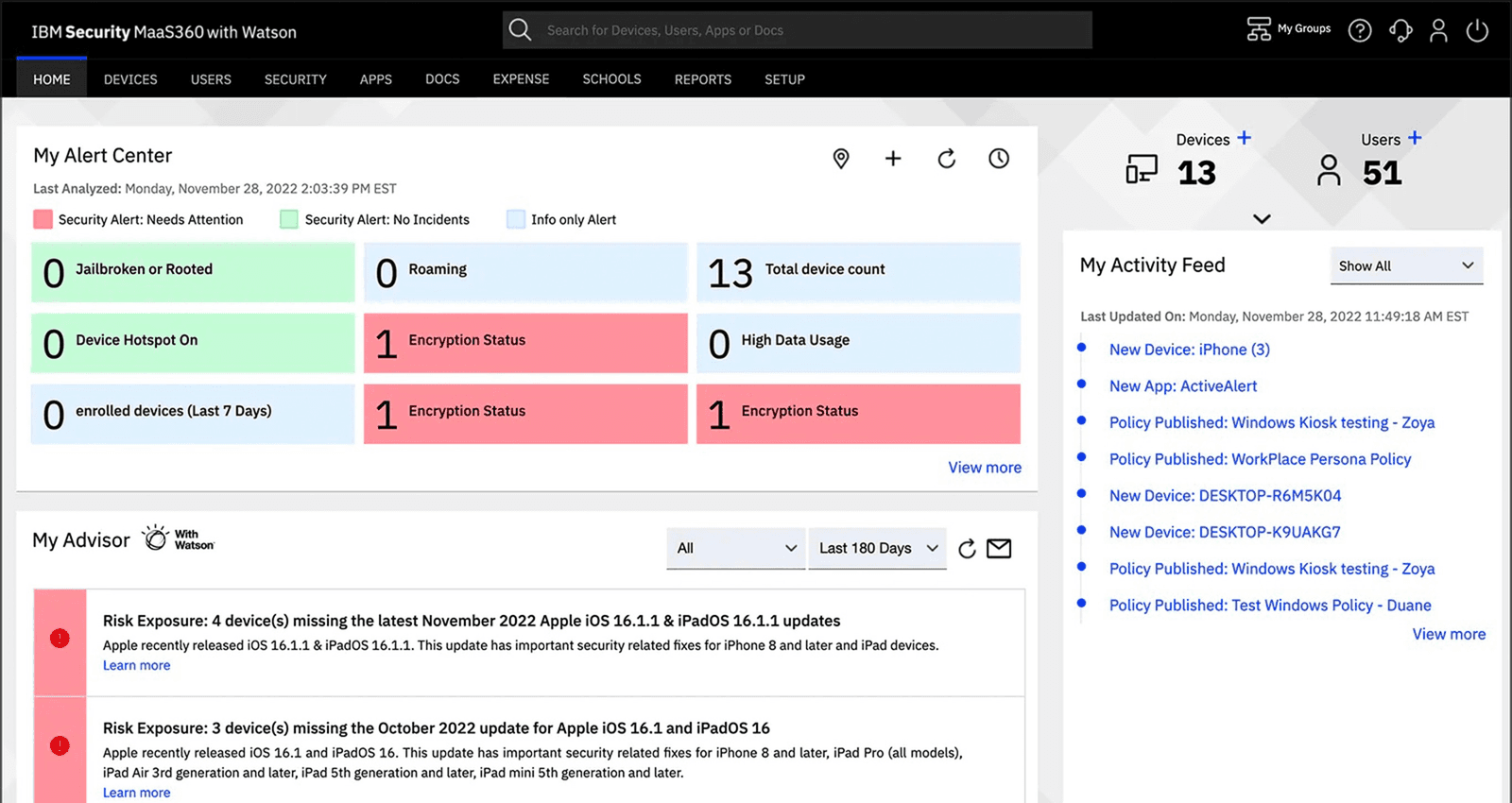
The UEM overview groups supported devices by platform, management status, ownership and enrollment activity so IT can see where attention is needed.
 Business · GeorgiaTalk with the team
 IBM · MaaS360 unified endpoint management
Give IT one cloud console for enrolling, inventorying, securing and supporting business phones, tablets, laptops, kiosks and rugged devices across mixed operating systems and ownership models.
Highlights
The UEM overview groups supported devices by platform, management status, ownership and enrollment activity so IT can see where attention is needed.
The application catalog shows available apps, device distribution and installation status, with controls for supported app access and deployment.
Endpoint security policies can define supported detections and remediation actions, then be assigned to eligible devices, users or groups.
A closer look
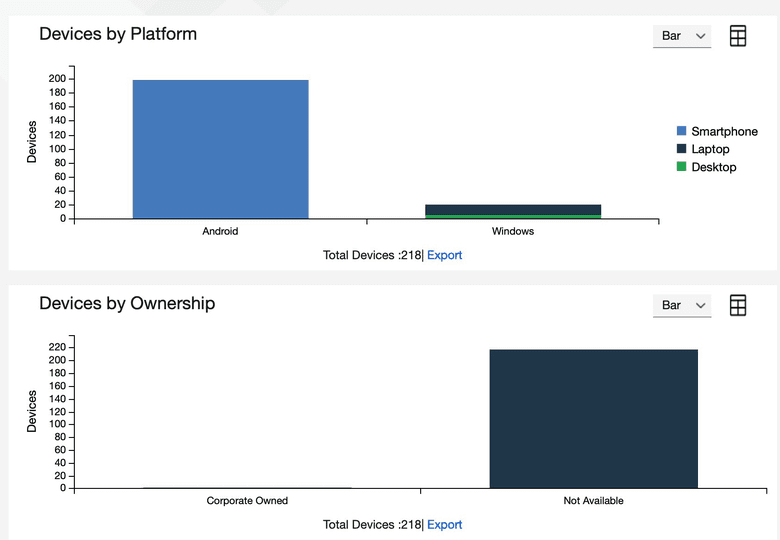
The UEM overview groups supported devices by platform, management status, ownership and enrollment activity so IT can see where attention is needed.
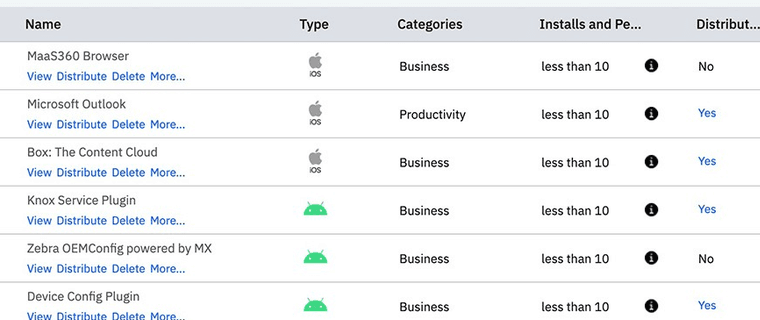
The application catalog shows available apps, device distribution and installation status, with controls for supported app access and deployment.
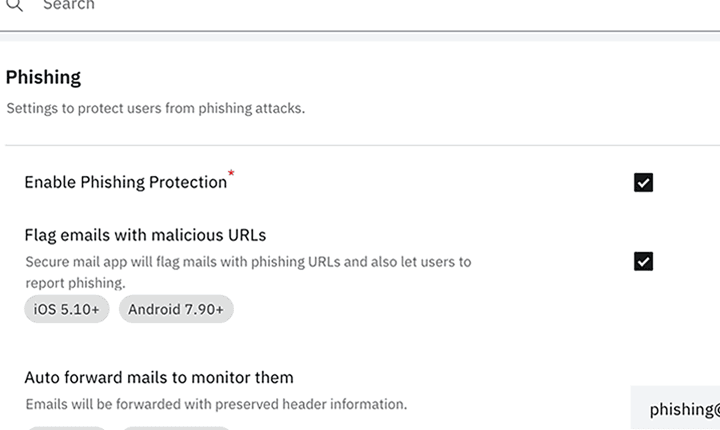
Endpoint security policies can define supported detections and remediation actions, then be assigned to eligible devices, users or groups.
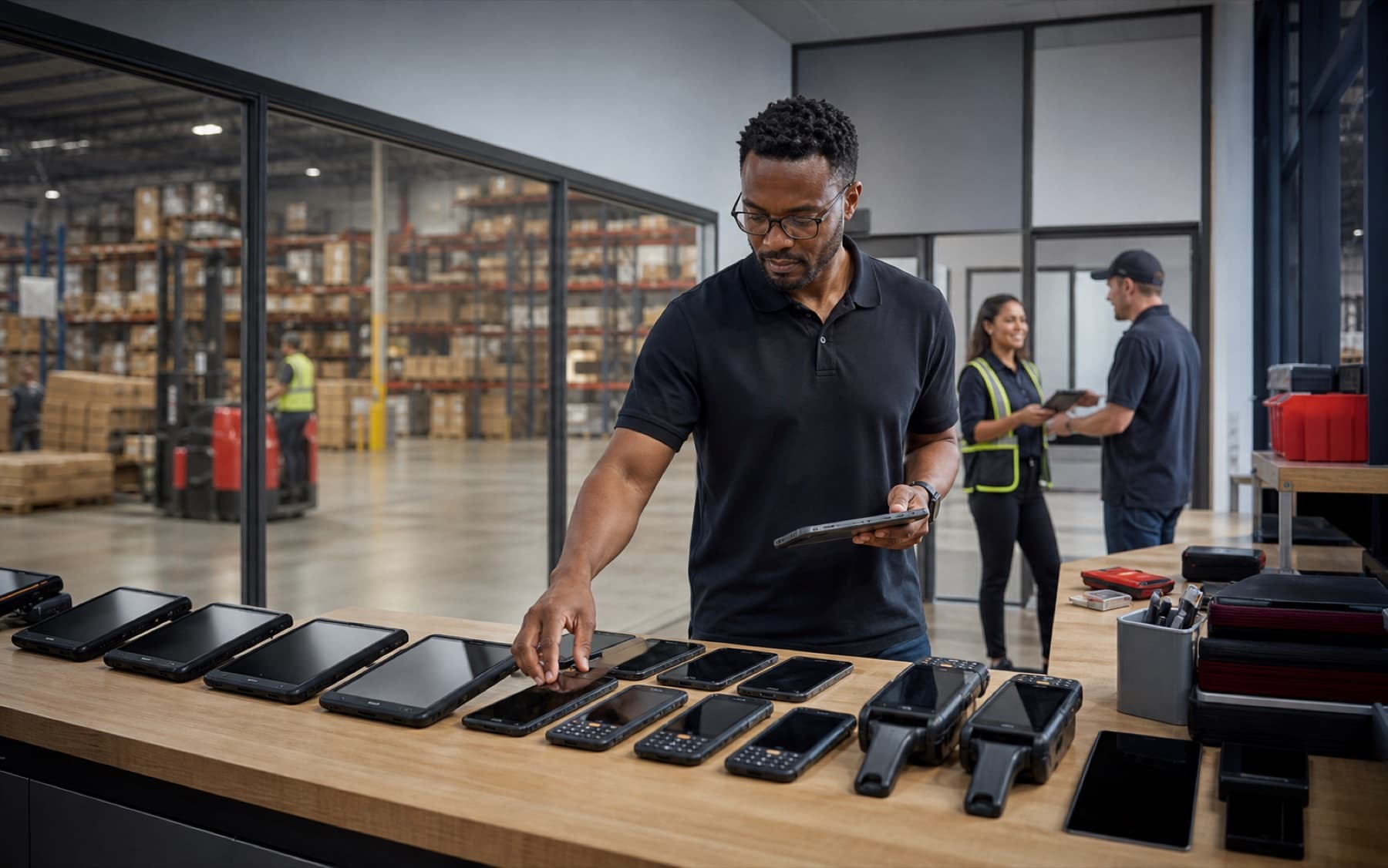
Enroll rugged and shared devices, distribute required apps and give IT one support view across warehouse teams.
Business applications
Enroll rugged and shared devices, distribute required apps and give IT one support view across warehouse teams.
Keep an inventory of shared clinical tablets, staff phones and front-desk endpoints while keeping patient information out of the management story.
Separate corporate-owned and personal-device policies while supporting remote enrollment, app delivery, troubleshooting and offboarding.
Specifications
Verizon Business in Georgia